
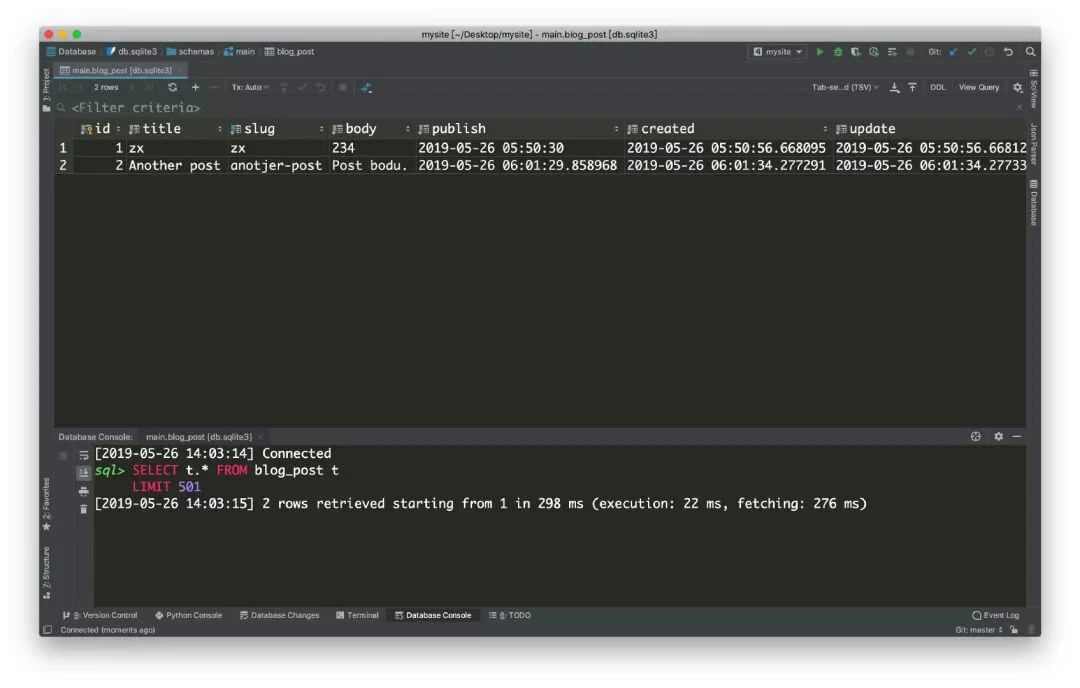
创建对象
$ python manage.py shell
>>> from django.contrib.auth.models import User
>>> from blog.models import Post
>>> user = User.objects.get(username='admin')
>>> post = Post(title='Another post',
...             slug='anotjer-post',
...             body='Post bodu.',
...             author=user)
>>> post.save()
user = User.objects.get(username='admin')
通过用户名admin获取到user对象
更新对象
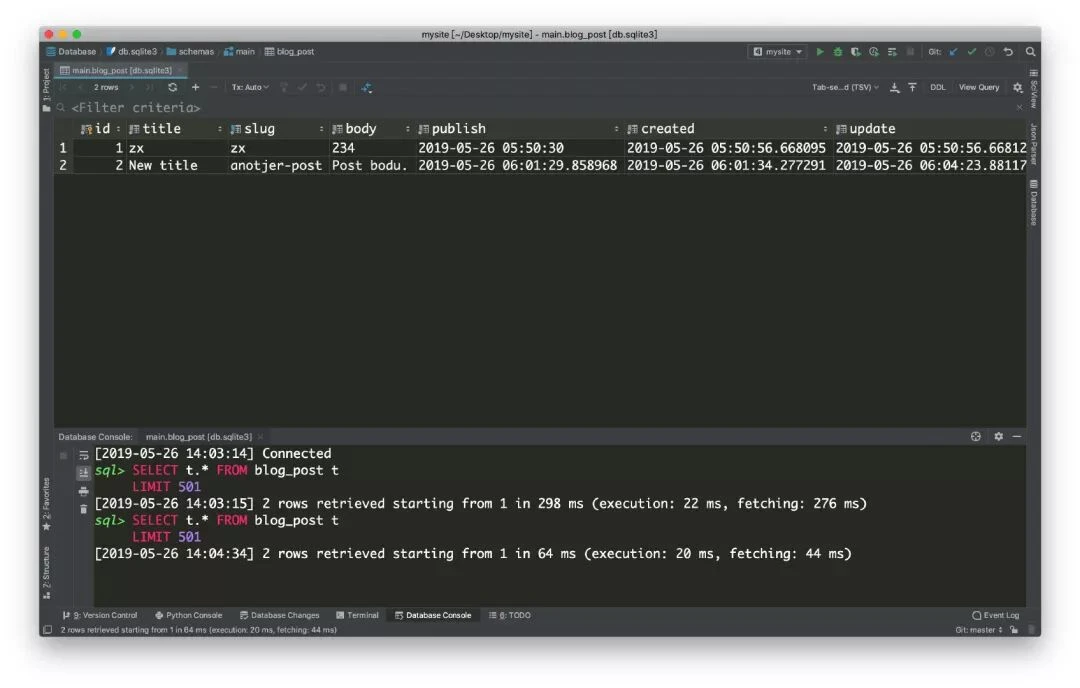
>>> post.title = 'New title'
>>> post.save()
获取对象
>>> all_posts = Post.objects.all()
>>> Post.objects.all()
<QuerySet [<Post: New title>, <Post: zx>]>
使用filter()方法

>>> Post.objects.filter(publish__year=2019)
<QuerySet [<Post: New title>, <Post: zx>]>
>>> Post.objects.filter(publish__year=2019,author__username='admin')
<QuerySet [<Post: New title>, <Post: zx>]>
>>> Post.objects.filter(publish__year=2019) \
            .filter(author__username='admin')
<QuerySet [<Post: New title>, <Post: zx>]>
包含字段查找方法的查询操作可以采用两个下划线予以构建
使用exclude()方法
排除特定的结果
>>> Post.objects.filter(publish__year=2019) \
        .exclude(title__startswith='zx')
使用order_by()
>>> Post.objects.order_by('title')
<QuerySet [<Post: New title>, <Post: zx>]>
>>> Post.objects.order_by('-title')
<QuerySet [<Post: zx>, <Post: New title>]>
默认升序,通过负号前缀降序排序
删除对象
>>> post = Post.objects.get(id=1)
>>> post.delete()
(1, {'blog.Post': 1})
创建模型管理器
class PublishedManager(models.Manager):
    def get_queryset(self):
        return super(PublishedManager, self) \
            .get_queryset() \
            .filter(status='published')


class Post(models.Model):
    object = models.Manager()
    published = PublishedManager()
    ...
使用
>>> Post.published.filter(title__startswith='zx')
<QuerySet []>
评论与讨论
使用 GitHub 账号留言,评论公开显示。
点评论时间可定位到原评论,在 GitHub 用评论旁的「…」修改或删除自己的留言。