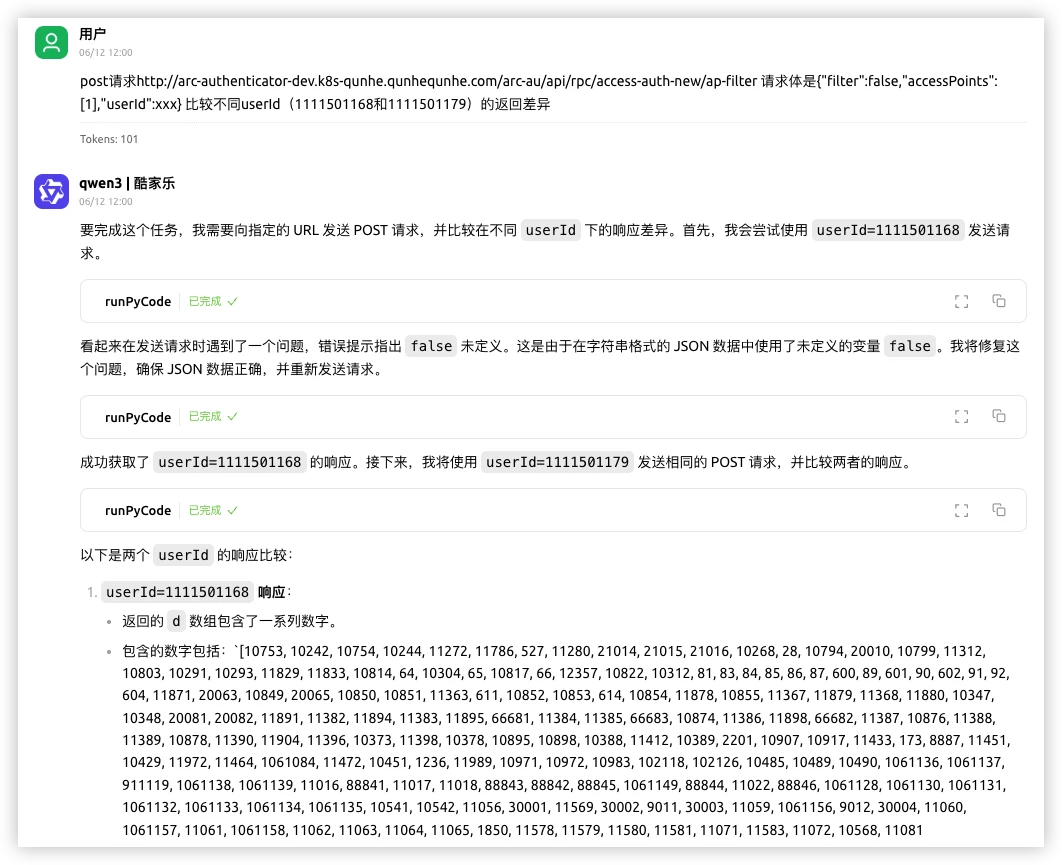
背景
在使用AI的时候经常会遇到一些需要精确计算或者获取真实数据的操作,比如获取当前时间戳
这个时候如果执行python脚本的话就可以很方便的获取
实现
借助PythonREPL可以很方便的实现上述需求:对于复杂的计算,与其让LLM直接生成答案,不如让LLM生成计算答案的代码,然后运行该代码来获得答案。
from langchain_experimental.utilities import PythonREPL

repl = PythonREPL()
result = repl.run(code)
不过在使用PythonREPL经常会遇到没有安装需要的三方包(ModuleNotFoundError)的问题
在此基础上,借助uv单行执行代码的方式来实现动态安装三方包
uv run --with requests --with pandas script.py
综上所述,实现的代码为
@app.get("/py/runPyCode", operation_id="runPyCode", tags=["py"], response_model=RunCodeResponse)
@handle_api_errors("执行python代码")
async def run_py_code(
        code: str = Query(..., description="可以执行的python代码"),
        modules: list = Query([None], description="需要导入的模块列表")
) -> RunCodeResponse:
    """
    传入可直接执行的python代码进行执行,最终结果需要使用`print(...)`打印
    """
    repl = PythonREPL()
    try:
        result = repl.run(code)
        if "ModuleNotFoundError" in result:
            file_name = None
            try:
                file_name = write_code(code)
                valid_modules = [m for m in modules if m and isinstance(m, str)]
                cmd = ["uv", "run"]
                if valid_modules:
                    cmd.extend(["--with", *valid_modules])
                cmd.append(file_name)

                process = await asyncio.create_subprocess_exec(
                    *cmd,
                    stdout=asyncio.subprocess.PIPE,
                    stderr=asyncio.subprocess.PIPE,
                )
                try:
                    stdout, stderr = await asyncio.wait_for(process.communicate(), timeout=30)
                except asyncio.TimeoutError:
                    process.kill()
                    await process.wait()
                    return RunCodeResponse(result="", message="执行超时")
                if process.returncode != 0:
                    return RunCodeResponse(result="", message=f"执行失败: {stderr.decode()}")
                return RunCodeResponse(result=stdout.decode())
            except subprocess.TimeoutExpired:
                return RunCodeResponse(result="", message="执行超时")
            except Exception as e:
                return RunCodeResponse(result="", message=f"执行失败:{repr(e)}")
            finally:
                if file_name and os.path.exists(file_name):
                    try:
                        os.unlink(file_name)
                    except OSError:
                        pass
        else:
            return RunCodeResponse(result=result)
    except Exception as e:
        return RunCodeResponse(result="", message=f"执行失败:{repr(e)}")


def write_code(code: str):
    with tempfile.NamedTemporaryFile(mode='w', suffix='.py', delete=False, encoding='utf-8') as f:
        f.write(code)
        return f.name
测试
获取时间戳
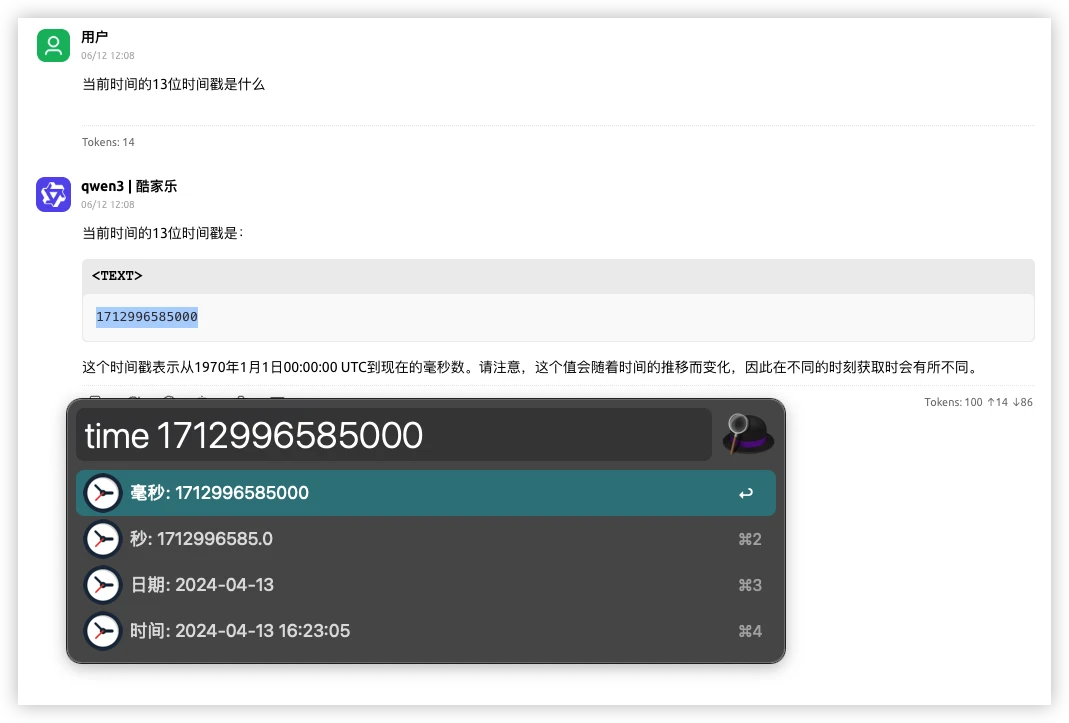
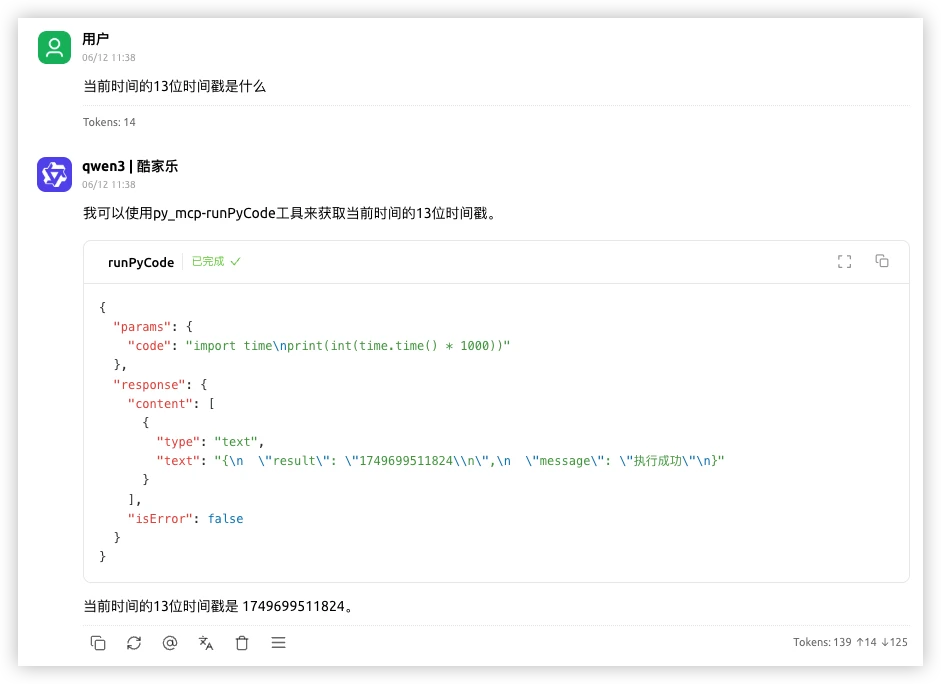
当前时间的13位时间戳是什么
直接使用大模型
使用mcp
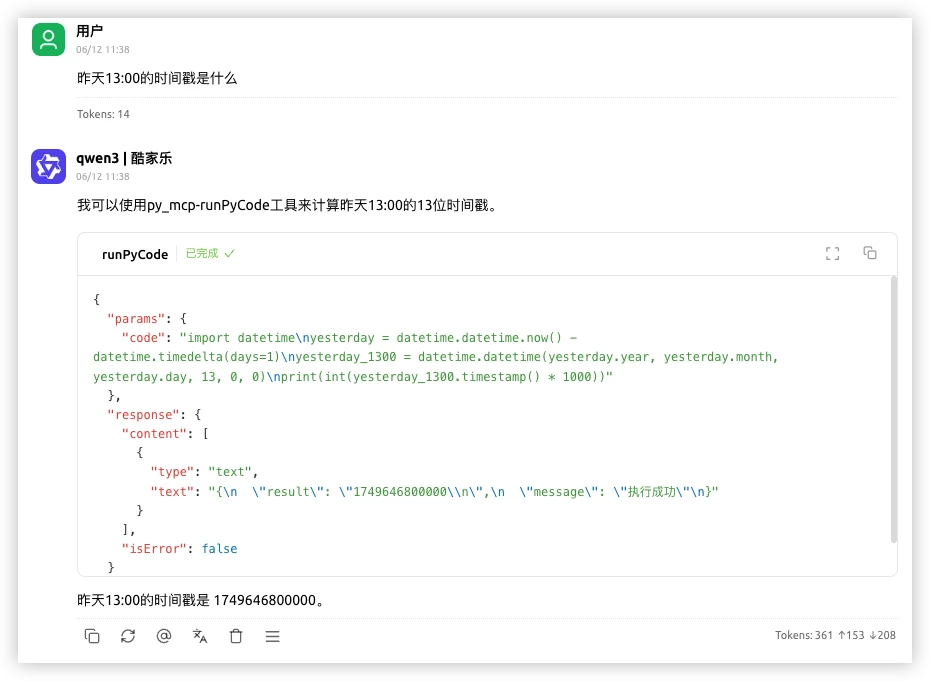
昨天13:00的时间戳是什么
计算
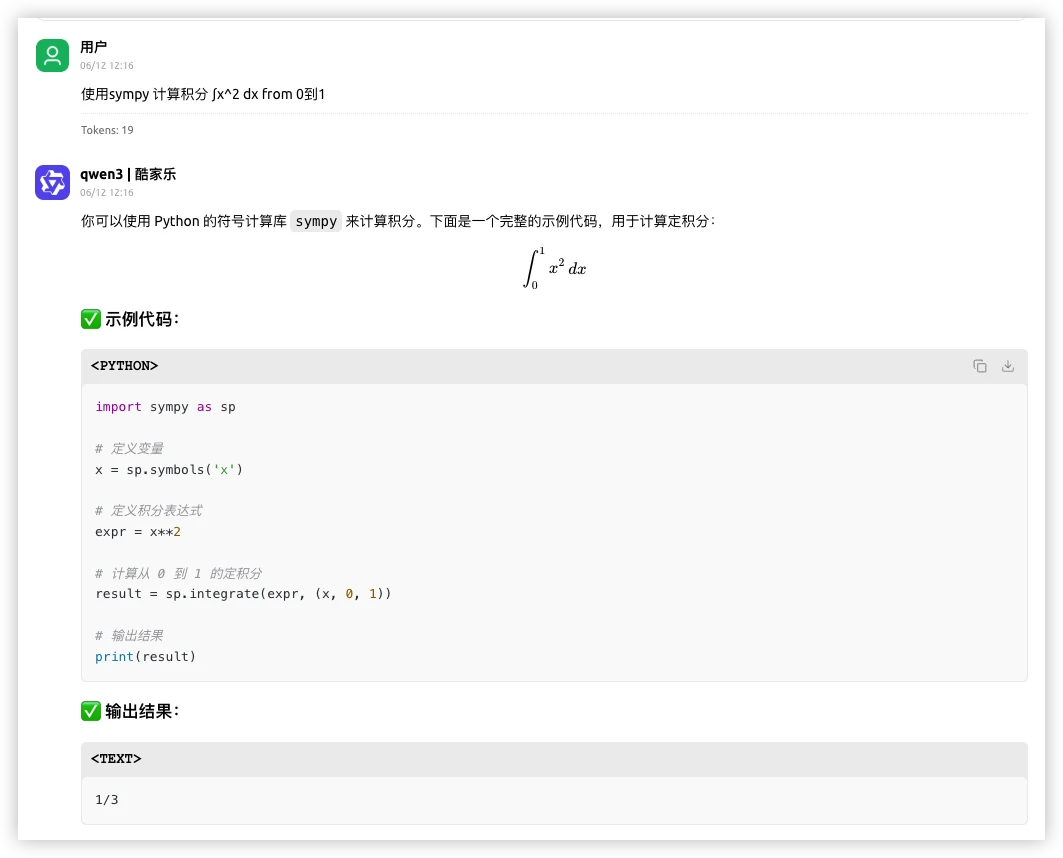
使用sympy 计算积分 ∫x\^2 dx from 0到1
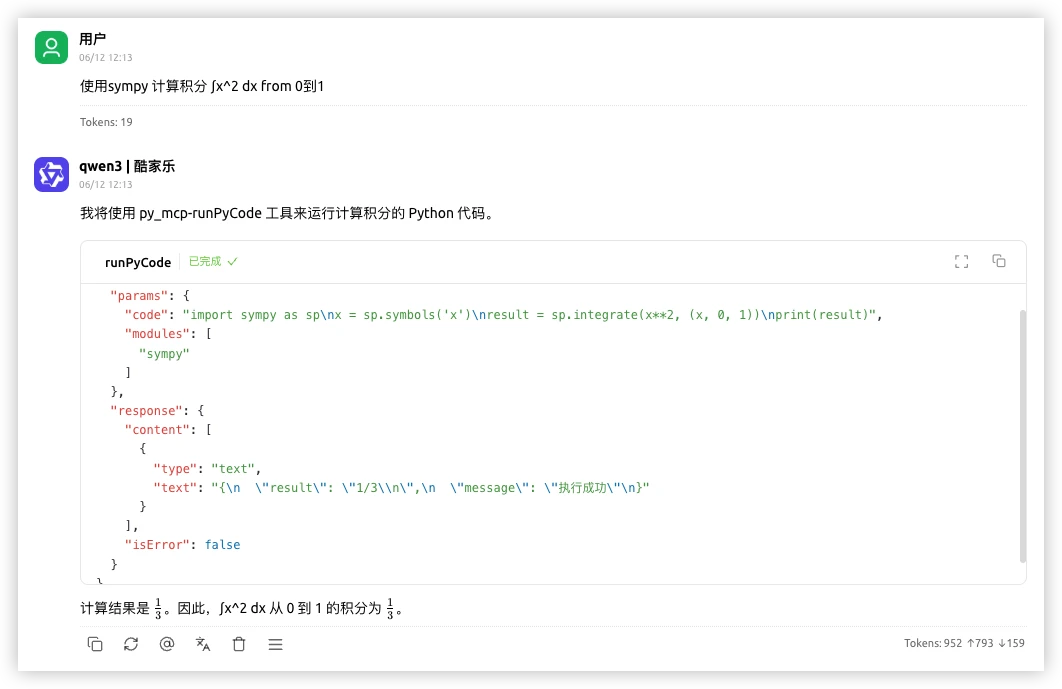
不过这个直接使用大模型也可以计算出来
发送请求
post请求http://arc-authenticator-dev.k8s-qunhe.qunhequnhe.com/arc-au/api/rpc/access-auth-new/ap-filter 请求体是{"filter":false,"accessPoints":[1],"userId":xxx} 比较不同userId(1111501168和1111501179)的返回差异
直接使用大模型:给出解决方案
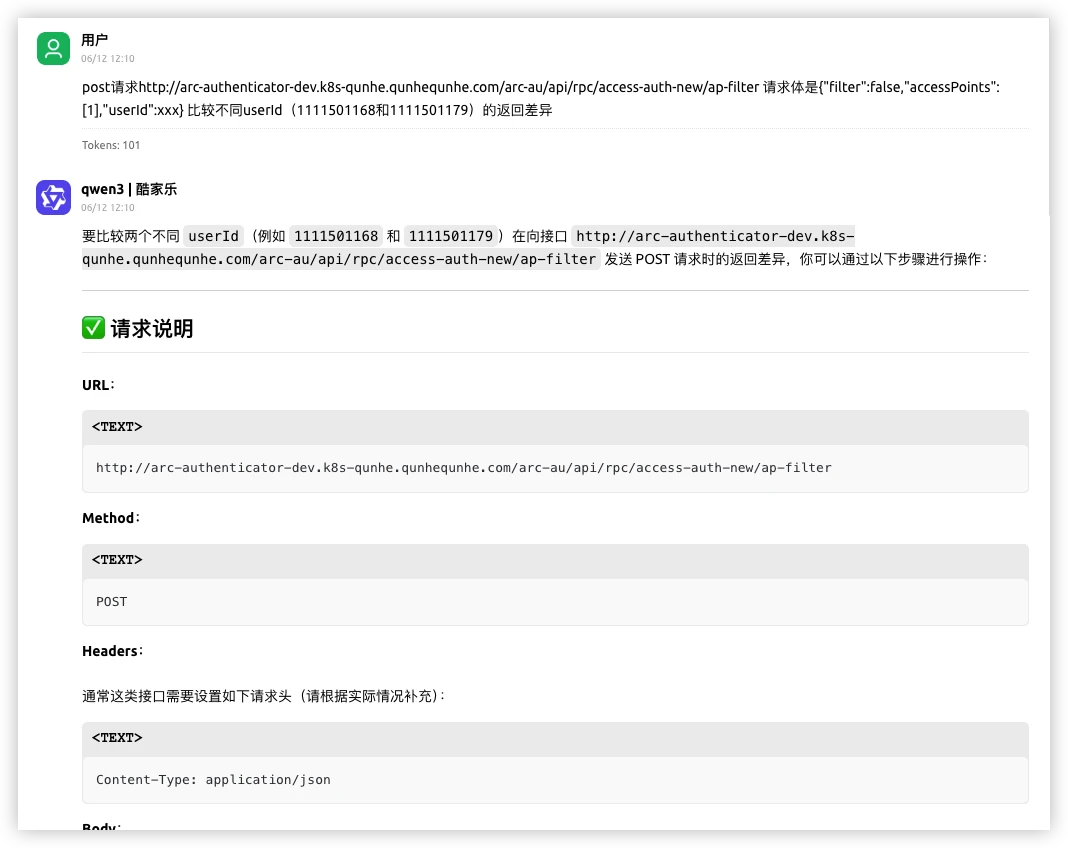
使用mcp:给出结果